Easy to Use
Simple and intuitive for everyone.

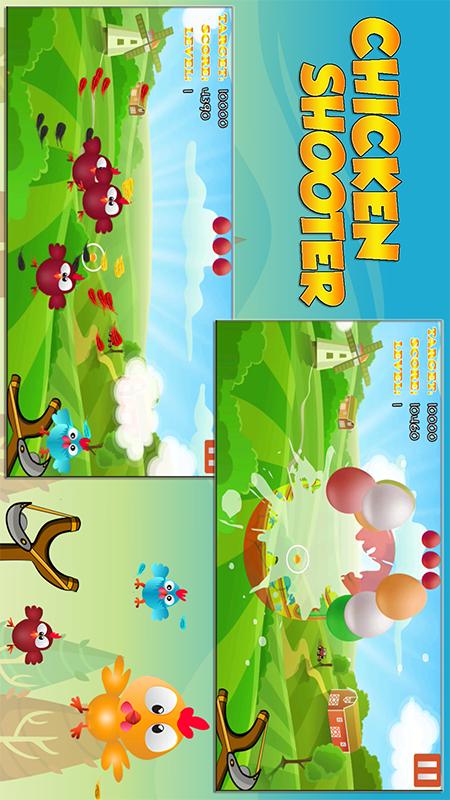
Chicken Shooter simple game attracts players with exciting chicken hunt. Coming to the game you will return to your childhood holding a slingshot to hunt, you have to be quick and quick to accurately aim at the target not to let the chickens run away. How to play : - Touch the screen to shoot, hold your finger to shoot continuously. - Don't lose th
Chicken Shooter simple game attracts players with exciting chicken hunt. Coming to the game you will return to your childhood holding a slingshot to hunt, you have to be quick and quick to accurately aim at the target not to let the chickens run away.
How to play : - Touch the screen to shoot, hold your finger to shoot continuously. - Don't lose the chickens, 3 run away you will lose. Pay attention to the goals set to overcome the challenge. - Quickly shoot into the mysterious gift boxes to add rewards. - Pay attention to stay away from flying bombs. - When you successfully complete the turn to play many combos, a huge reward egg will appear, quickly shoot the egg to receive the gift.
Notes: - Chicken shoot is completely free to play, you will not have to pay any fees in the game. - With an extremely light capacity, you can install it on any device without having to worry about running out of memory - Chicken hunt does not ask for any permissions in the system to ensure the security of your information - Shooting games without internet, you just need to turn on the network when downloading, then you can enjoy the game anywhere without having to worry about protecting the internet.
Information based on the application details supplied by the site operator.
Simple and intuitive for everyone.
Reacts instantly to your actions.
Respects and protects your data.
Screenshots should accurately represent the current application.


Use the button on this page to open the application listing in Huawei AppGallery.
Check the developer, permissions, age rating, compatibility and current version.
If the application is available for your device and region, follow the installation instructions in AppGallery.
No. This informational website is operated independently and links to the official application listing in Huawei AppGallery.
Use the AppGallery button and follow the instructions shown on the official listing.
Availability may depend on country, device, operating system version, account settings and developer distribution choices.